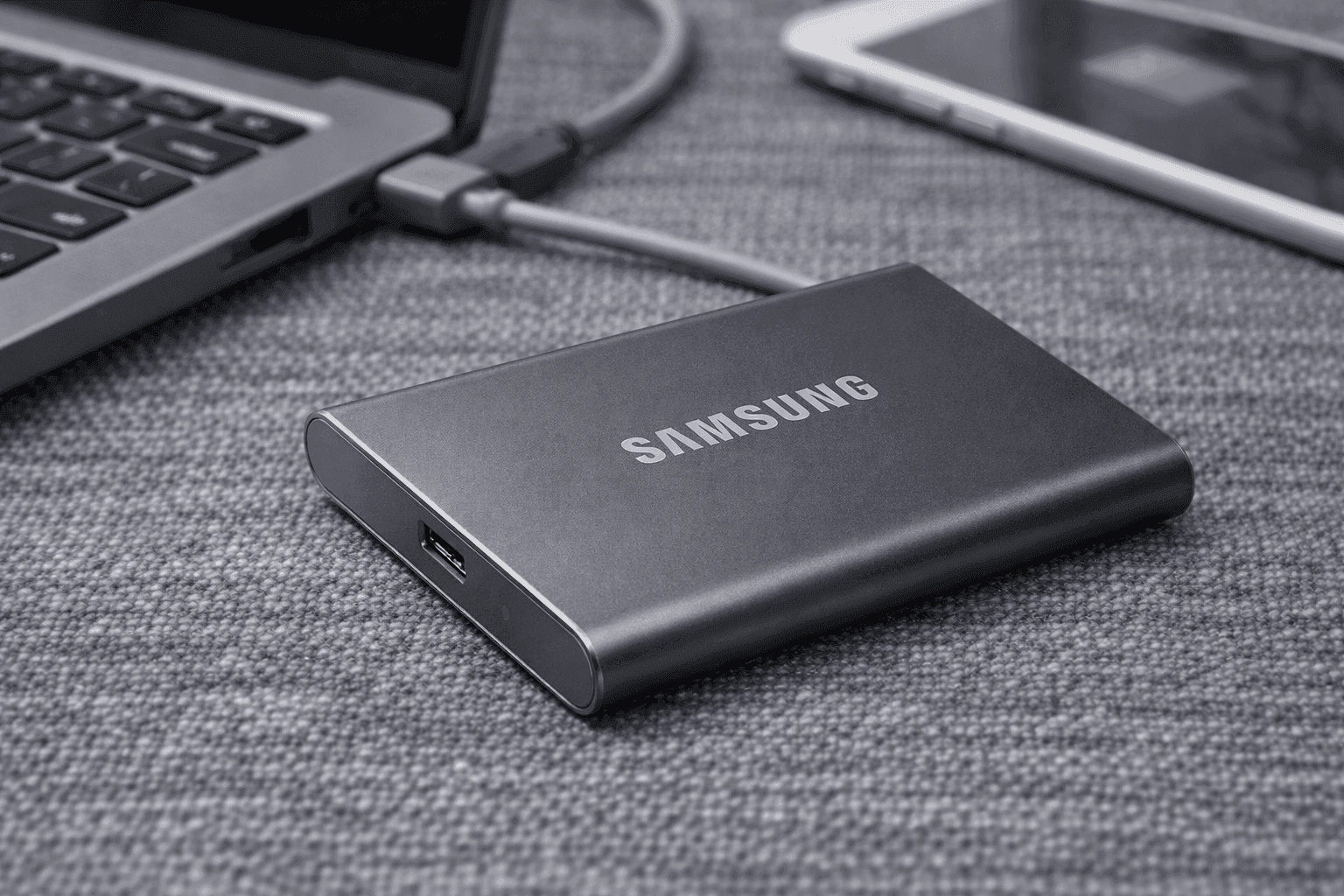
Storage problems show up at the worst time—right before a deadline, during a shoot, or when your laptop starts slowing down. That’s where the Samsung T7 Portable SSD steps in. This compact drive focuses on speed, reliability, and simple portability without adding complexity to your setup. It’s built for people who move large files often, from video editors to everyday users backing up important data.
You get NVMe-level performance in a pocket-sized device, plus solid security and wide compatibility. Over time, this drive has become a go-to option for professionals and casual users alike. Let’s break down what makes it stand out and where it fits best.
Samsung T7 Portable SSD Performance and Speed
Speed is the main reason people upgrade to a Samsung T7 Portable SSD. It uses USB 3.2 Gen 2, which supports up to 10Gbps bandwidth.
In real-world use:
- Read speeds reach up to 1,050 MB/s
- Write speeds reach up to 1,000 MB/s
- Sustained speeds often settle between 300–600 MB/s after extended transfers
From hands-on use, transferring a 20GB 4K video project takes just a few minutes. Compared to a traditional external hard drive, the difference feels immediate—files open faster, previews load quicker, and backups finish without long waits.
This makes it a strong pick for:
- 4K video editing
- RAW photo storage
- Large file transfers
- System backups
If fast file transfer matters, this drive delivers consistent results.
Design, Build Quality, and Portability
The Samsung portable SSD T7 keeps things simple and durable. The standard version features a smooth aluminum body that feels sturdy without adding weight.
Key details:
- Weight: about 58 grams
- Size: fits easily in your palm
- Scratch-resistant finish
For tougher environments, the T7 Shield adds a rubberized exterior with drop protection up to 3 meters and IP65 dust and water resistance.
From regular use, the compact size stands out the most. It slips into a pocket, camera bag, or laptop sleeve without adding bulk. That makes it ideal for travel or working on the go.
Storage Options and Variants
Samsung offers several versions to match different needs:
Standard T7
- Lightweight and affordable
- Great for everyday storage and backups
T7 Touch
- Adds fingerprint security
- Useful for sensitive files
T7 Shield
- Rugged design for outdoor use
- Best for travel and fieldwork
Storage capacities include:
-500GB
- 1TB
- 2TB
- Up to 4TB (Shield version)
For most users, 1TB hits the sweet spot between price and usable space.
Real Amazon Pricing (US Market)
Pricing changes often, but these are typical Amazon US ranges:
Standard T7
- 500GB: $50–$80
- 1TB: $70–$120
- 2TB: $110–$180
T7 Touch
- 500GB: $70–$90
- 1TB: $90–$120
- 2TB: $130–$180
T7 Shield
- 1TB: $90–$130
- 2TB: $130–$200
- 4TB: $250–$350
Prices usually drop during sales events, especially for the 1TB and 2TB models.
Security Features and Data Protection
Security is another strong point of the external SSD Samsung T7.
You get:
- AES 256-bit hardware encryption
- Optional password protection
- Fingerprint unlock (T7 Touch)
In practice, encryption runs in the background without slowing performance. The fingerprint scanner on the Touch model adds convenience, especially for users handling private files.
This setup works well for:
- Business document
- Client data
- Personal backups
Compatibility Across Devices
The Samsung T7 SSD review wouldn’t be complete without mentioning compatibility.
It works with:
- Windows laptops and desktops
- Mac and macOS devices
- Android phones and tablets
- iPads with USB-C
- PlayStation 5 (storage expansion)
No drivers are required for most systems. Plug it in, and it’s ready to go.
For gamers, it helps store extra titles on PS5, though some games still need internal storage to run.
Real-World Use Cases
From actual usage, the T7 fits several workflows:
Content Creation
Editing videos directly from the drive is smooth for 1080p and manageable for 4K.
Photography
Backing up hundreds of RAW files during shoots is quick and reliable.
Everyday Backup
It handles full system backups without slowing your computer.
Travel Work Setup
The small size and durability make it easy to carry between locations.
Thermal Performance and Power Use
Heat can slow down SSDs, but Samsung includes Dynamic Thermal Guard to manage this.
Typical behavior:
- Stays cool during short transfers
- Slight warmth during long sessions
- Rarely throttles under normal use
Power usage stays low:
- Around 1W idle
- Up to 7W under heavy load
In daily use, overheating is rarely an issue unless airflow is restricted.
Strengths That Stand Out
The best portable SSD for video editing category is competitive, but the T7 holds its ground.
Top strengths:
- Fast and consistent performance
- Compact and lightweight
- Strong encryption features
- Reliable Samsung NAND technology
- Wide device compatibility
It’s a balanced option that works across different use cases without requiring upgrades or tweaks.
Limitations to Keep in Mind
No product is perfect, and the T7 has a few trade-offs:
- Slower than newer 20Gbps SSDs
- Write speeds drop after cache fills
- Higher price at larger capacities
- Shield version costs more
From experience, the speed drop matters only during very large transfers. For everyday tasks, it’s barely noticeable.
Expert Insight and Industry Context
Based on years of working with external drives, Samsung’s V-NAND technology has a strong track record for durability and consistency. Industry reports from Statista show SSD adoption continues to rise due to faster speeds and lower failure rates compared to HDDs.
Compared to older external hard drives:
- SSDs are significantly faster
- They have no moving parts
- They handle travel better
That explains why drives like the T7 have become common for both professionals and casual users.
Strategic Buying Tips
Before choosing a model, consider:
- Go for at least 1TB for flexibility
- Use a USB 3.2 Gen 2 port for full speed
- Keep storage below 90% for better performance
- Choose the Shield version for rugged use
These small decisions make a big difference in long-term performance.
Conclusion
The Samsung T7 Portable SSD continues to be a solid choice for fast, portable storage. It balances speed, durability, and ease of use without adding unnecessary features. From creative work to everyday backups, it handles tasks smoothly and consistently.
While newer drives offer faster specs on paper, the T7 remains reliable and practical for most users. It’s easy to carry, simple to use, and built with proven technology.
If you’re looking for a dependable external SSD, it’s worth checking out the latest deals on Amazon—and while you’re there, explore other storage options that might fit your setup even better.