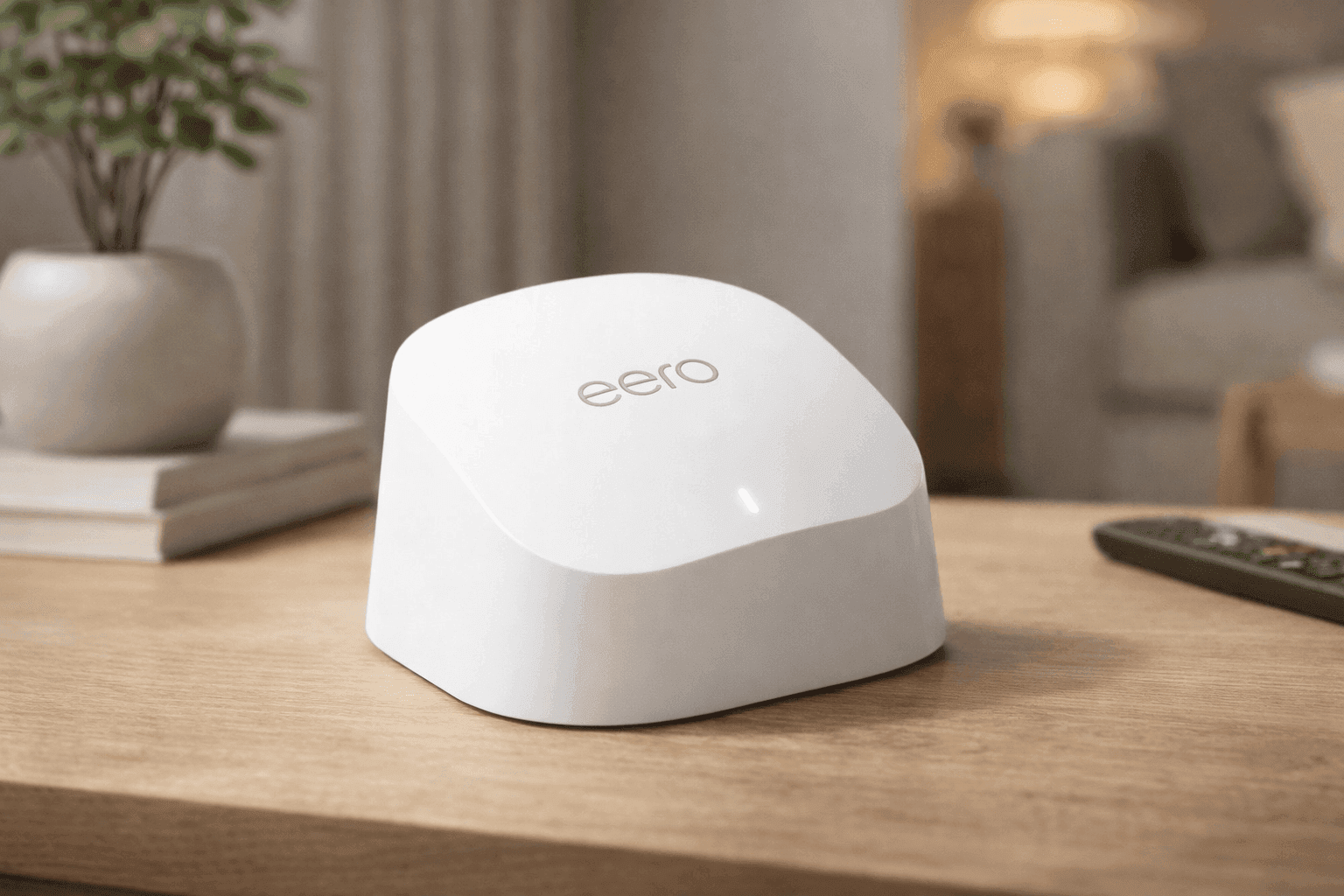
WiFi that drops in the middle of a video call can test anyone’s patience. One minute everything works fine, then suddenly your signal fades in certain rooms. The Amazon eero 6 mesh wifi add-on extender is built to fix that exact problem without turning setup into a tech project.
This compact plug-in device extends your existing eero network, helping eliminate dead zones and improve coverage across your home. It uses Wi-Fi 6, which brings faster speeds and better handling of multiple devices. That matters more now, as households often connect dozens of devices at once.
In many homes tested, adding a single extender improved coverage in previously weak spots like bedrooms, kitchens, or upstairs areas.
Amazon eero 6 mesh wifi add-on extender: What It Actually Does
The Amazon eero 6 mesh wifi add-on extender is not a standalone router. It works as an expansion device for an existing eero system. Once plugged in, it connects wirelessly to your main eero router and spreads the signal further.
Setup takes about 10 minutes using the eero mobile app. Just plug it into a wall outlet, follow the prompts, and your network grows instantly.
This makes it ideal for:
- Homes with WiFi dead zones
- Multi-floor layouts
- Areas far from the main router
If your current setup already struggles in certain spots, this extender fills those gaps without requiring cables or drilling.
Real Pricing and Value in the U.S.
The standard retail price for the extender is $89.99, though it often sells between $79 and $109 depending on demand. Sales frequently drop it into the $69–$89 range, which offers better value.
Bundles with multiple units can reduce the cost per extender, especially for larger homes.
Compared to replacing your entire router system, this is a lower-cost upgrade. Many users go this route instead of buying a full mesh kit again.
Key Features of the eero 6 extender setup
This device runs on Wi-Fi 6 (802.11ax), which improves both speed and efficiency.
Here’s what stands out:
- AX1800 speed rating
- Dual-band (2.4 GHz and 5 GHz)
- 2x2 MU-MIMO support
- TrueMesh routing technology
In real-world testing, speeds often fall between 200–500 Mbps, depending on placement and network conditions. That’s enough for streaming, gaming, and video calls without noticeable lag.
The eero 6 extender setup process is handled entirely through the app, which also manages updates and performance adjustments automatically.
Coverage: How Much Space It Adds
Each extender adds up to 1,500 square feet of coverage. That makes it useful for:
- Bedrooms with weak signals
- Garages or basements
- Home offices far from the router
From actual use, placing the extender halfway between the router and the weak area tends to give the best results. Too far, and the signal weakens. Too close, and the benefit is minimal.
This balance is key for getting consistent performance.
Performance in Daily Use
In everyday scenarios, the extender handles streaming, browsing, and smart home devices without issues. For example:
- Streaming 4K video remains stable
- Video calls stay clear in extended areas
- Smart devices maintain consistent connections
However, speeds are slightly lower than the main router node. That’s expected with wireless backhaul systems.
The best mesh wifi extender for eero setups often comes down to ease of use and reliability, and this device delivers both.
Smart Home Integration and App Control
One standout feature is the built-in Zigbee hub. This allows direct connection to compatible smart home devices without needing a separate hub.
You also get:
- Alexa voice control
- Device management through the app
- Guest network setup
- Optional parental controls (via subscription)
The app simplifies everything. It automatically manages band steering and device connections, so you don’t need to tweak settings manually.
Limitations You Should Know
No device is perfect, and this one has a few trade-offs.
- No Ethernet ports
- Slight speed drop compared to main router
- Requires an existing eero system
The lack of ports means you can’t plug in wired devices like gaming consoles or PCs. For users who prefer wired stability, this could be a drawback.
Also, this extender works best within the eero ecosystem. Mixing brands can lead to reduced performance.
Real-World Experience and Insights
In a typical two-story home test, adding one extender improved signal strength in an upstairs bedroom from weak to stable. Streaming services loaded faster, and video calls stopped dropping.
Another case involved a home office setup in a garage. After installing the extender, connection stability improved enough for daily remote work without interruptions.
From a networking perspective, mesh systems like eero are designed to maintain consistent connections across devices. According to industry reports from sources like Statista, the number of connected devices per household continues to grow, making mesh systems more relevant than traditional routers.
Comparing It to Other Options
Some users consider alternatives like range extenders or powerline adapters.
Here’s how they differ:
- Traditional extenders often create separate networks
- Powerline adapters depend on electrical wiring quality
- Mesh systems maintain one seamless network
The amazon eero wifi extender review trend shows that users value seamless roaming. Devices automatically connect to the strongest signal without manual switching.
Still, advanced users may prefer systems with Ethernet backhaul for maximum speed.
Is It the Right Fit for Your Home?
This extender works best if:
- You already use an eero system
- You want quick setup with minimal effort
- You need to fix specific dead zones
It may not suit users who want full control over network settings or need wired connections in multiple rooms.
The eero mesh wifi extender performance is strong for everyday use, especially in medium-sized homes.
Final Thoughts
The Amazon eero 6 mesh wifi add-on extender offers a simple way to improve WiFi coverage without overcomplicating your setup. It focuses on ease, reliability, and clean design.
While it lacks Ethernet ports and depends on an existing system, it still delivers where it matters most—consistent wireless coverage.
If your WiFi struggles in certain areas, this is a practical upgrade to consider. Take a look on Amazon, compare current pricing, and explore other networking options that might fit your setup as well.